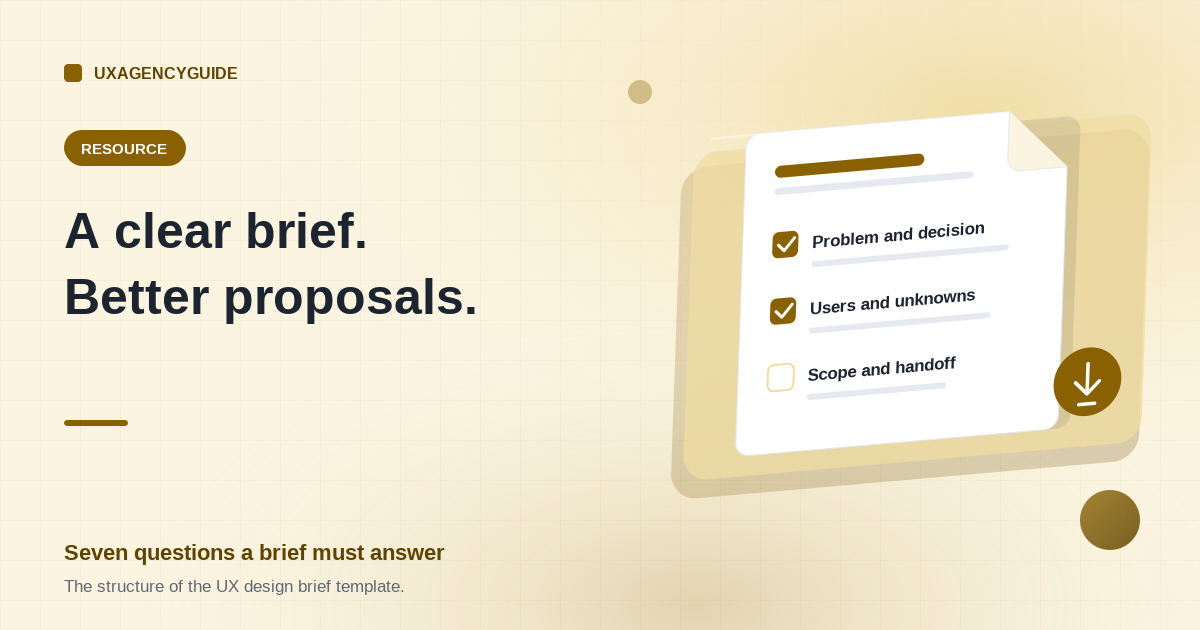
A UX design brief is a short document that tells designers or agencies what problem to solve, for whom, within which constraints and to inform which decision. A good brief makes proposals comparable, prevents the most common scope misunderstandings and saves the first weeks of a project that would otherwise be spent working out what the client meant. This page gives you an editable template with seven sections, a filled example for a fictional product and guidance on how to use it.
Download the UX design brief template (.docx). The Word file contains the blank template with space for your answers and the filled example. It is an original UXAgencyGuide resource, free to use and adapt.
What the brief must resolve
A brief exists to answer the questions any designer or agency will ask before they can propose work. If the brief does not answer them, the first meeting will, and different responders will fill the gaps with different assumptions.
The template is organized around seven questions:
- What are we working on, and why now? The product, the request and the decision the work should inform.
- Who is it for? The users, the people affected and what they are trying to do.
- What does success look like? Business and user goals, how success will be judged and what is out of scope.
- What work and deliverables are expected? Research, design, prototyping, testing and the formats you need.
- What constraints apply? Technical, content, legal and brand.
- Who, when and how much? Your team, the decision-maker, timeline, budget and review process.
- What happens after design? Who builds it, what engineers need and who owns the files.
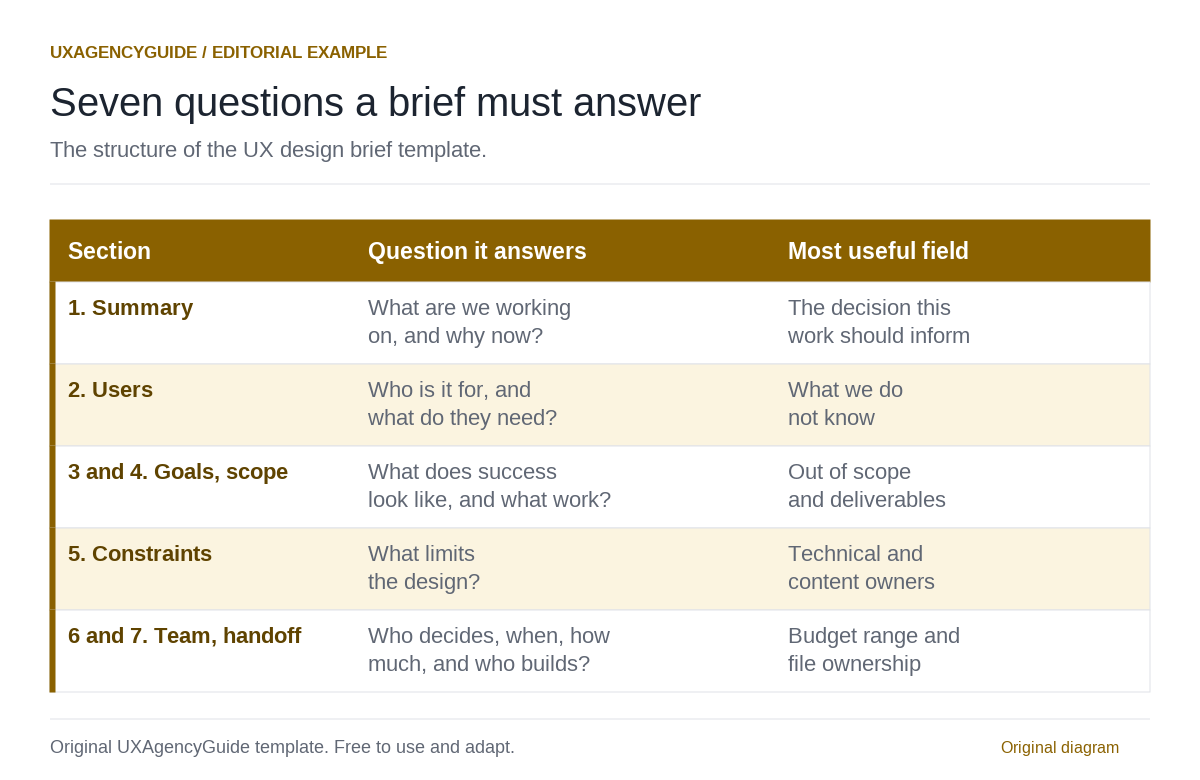
The single most important field is the decision this work should inform. A brief that says “redesign our onboarding” invites a visual refresh. A brief that says “decide whether to keep self-serve setup or move to assisted onboarding for larger accounts” invites research, options and evidence. Agencies structure their own processes around this kind of statement. Qubstudio’s audit service, for example, describes starting from a business problem, then an audit goal, a defined focus and an expected outcome. Writing those down before you talk to anyone gives every responder the same starting point.
Users and product decisions
The users section is where most briefs are weakest. “Our users are SMBs” tells a designer almost nothing. Describe people by role and task: who uses the product, what they are trying to do and who else is affected by it, such as administrators, approvers or customers of your customers.
Separate what you know from what you assume
The template asks for two lists: what you already know, with the source and date, and what you do not know. The second list is the most valuable part of the brief. It tells responders where research is needed and protects the project from building on assumptions. If you have journey maps, interview notes or support data, mention them; if you have none, say so. Nielsen Norman Group’s Journey Mapping 101 describes the components of a journey map, which is a useful way to summarize what you know about a user’s experience if you have done that work.
Name the decision-maker
Design work slows down when nobody can approve it. Name the person who makes design decisions and how much time they can give. If several people must agree, say who has the final word.
Describe the team around the work
GOV.UK’s guidance on what each role does in a service team lists roles such as product manager, user researcher, content designer, designer and developer. Few small companies have all of them. Saying which roles you have, and which you expect the design partner to cover, avoids proposals that assume a team you do not have.
Scope, constraints and deliverables
Be specific about the work
List the kinds of work you expect: research, user flows, wireframes, interface design, a prototype, usability testing, a design system. If you do not know what you need, say that too, and ask responders to recommend a scope. Our proof of concept, prototype and MVP comparison helps you decide what the work should produce.
Name the deliverables and formats
Say what you expect to receive and in which tools: design files, prototype links, research notes, specifications. If your engineers use an existing component library, say so; it changes the work significantly.
State the accessibility standard
Name the standard the product must meet, such as WCAG 2.2 level AA. The W3C’s WCAG 2 overview describes the conformance levels and encourages using the latest version. Stating it in the brief means it is priced and planned from the start, not added at the end.
List constraints honestly
Technical constraints, such as the front-end framework, integrations and data limits, shape design decisions. Content constraints, such as who writes interface text, often decide timelines. Legal, privacy or regulatory requirements can change flows entirely. Brand rules and existing design systems limit visual options. Each constraint you name is one less surprise later.
Include a budget range
A range or constraint lets responders propose a realistic scope. Without one, proposals assume very different amounts of work and become impossible to compare.
Filled example
The example below shows the template completed for a fictional product, Shiftboard, a scheduling tool for small facilities teams. It is illustrative: the names, figures and dates are planning assumptions, not real data. Notice how it states the decision the work should inform, lists unknowns explicitly and says who builds the result.
Illustrative example for a fictional product. Names, figures and dates are planning assumptions, not real data.
1. Project summary
| Field | Example entry |
|---|---|
| Product or service | Shiftboard, a scheduling tool for small facilities teams that assigns maintenance jobs to technicians. |
| What we are asking for | Research and design for a rescheduling flow when a job runs late, ready to build in our MVP. |
| Why now | Pilot customers say late jobs cause most of their rescheduling work, and our MVP build starts in ten weeks. |
| Decision this work should inform | Whether automatic schedule proposals belong in the MVP, or whether manual rescheduling is enough for launch. |
2. Users and context
| Field | Example entry |
|---|---|
| Primary users | Dispatchers who plan technicians’ days, usually one or two per customer. |
| Other people affected | Technicians who receive changes on their phones; account administrators who set permissions. |
| What users are trying to do | Keep the afternoon covered when a job overruns, and make sure technicians know about changes. |
| What we already know | Six interviews with dispatchers in September; support notes from three pilot customers. |
| What we do not know | Whether dispatchers trust a proposed schedule; how technicians prefer to be notified. |
3. Goals and success
| Field | Example entry |
|---|---|
| Business goal | Pilot customers renew after the first three months. |
| User outcome | A dispatcher can cover a late job in under two minutes without phoning anyone. |
| How we will judge success | Usability test with five dispatchers; after launch, how often proposals are accepted or edited. |
| Out of scope | Multi-site scheduling, payroll, customer notifications. |
4. Scope and deliverables
| Field | Example entry |
|---|---|
| Work expected | Short research round, user flow, wireframes, interface design, clickable prototype, one usability test. |
| Deliverables and formats | Figma files using our component library; research notes; annotated flow with all states. |
| Platforms and devices | Dispatcher web app on desktop; technician view on mobile web. |
| Accessibility standard | WCAG 2.2 level AA. |
5. Constraints
| Field | Example entry |
|---|---|
| Technical | React front end; existing shadcn-based component library; job data from our own API. |
| Content | Our product manager writes interface text; the design partner proposes wording. |
| Legal, privacy or regulatory | No special requirements beyond our standard privacy policy. |
| Brand | Short style guide and component library already exist. |
6. Team, timing and budget
| Field | Example entry |
|---|---|
| Our team and availability | Product manager (half time) and one front-end engineer for reviews. |
| Decision-maker | Co-founder responsible for product. |
| Timeline and key dates | Six weeks, ending before the MVP build starts. |
| Budget range | Planning range set by the founders; to be confirmed after proposals. |
| How we will review work | Weekly 45-minute review; written feedback within two working days. |
7. Handoff and ownership
| Field | Example entry |
|---|---|
| Who builds it | Our two in-house engineers. |
| What engineering needs | Every state for each screen, behavior notes and any new components documented. |
| File and research ownership | Files in our Figma workspace from day one; research notes in our shared drive. |
| Support after delivery | Two design reviews during the build sprint. |
How agencies respond to the brief
A clear brief changes the proposals you receive. Agencies with different models will respond differently, and that is useful.
Design-led agencies usually propose discovery first. Arounda’s MVP service, for example, describes a discovery stage that includes briefing and onboarding, competitive analysis, user interviews and a product roadmap, followed by information architecture covering the user’s path from registration to a key action. If your brief lists unknowns, expect a proposal that plans research to resolve them.
Engineering-led partners often compress design into a scoping phase. CorLab Tech’s MVP page describes a one-week scoping sprint that ends with a build plan and a fixed price, and its dashboard service begins with a metric workshop that produces a metric specification. A good brief gives that kind of sprint far more to work with, because the problem, users and constraints are already written down.
Every responder should be able to answer three questions after reading your brief: what you want to learn or decide, what they would do first and what is excluded from their proposal. If a proposal does not address the decision you named, or ignores the unknowns you listed, that tells you something about how the work would go.
Compare proposals against the brief
Use the brief as the yardstick. For each proposal, check whether it covers each section: does it plan for the users you named, include the deliverables you need, respect the constraints and fit the timeline and budget? Note what each proposal adds or leaves out. Our agency evaluation scorecard gives you a structured way to do that, and our startup agency guide explains what evidence to ask for.
Update the brief after the first conversations
Good responders will ask questions you had not considered. Add the answers to the brief and share the updated version with everyone still in the process, so all proposals are based on the same information.
Download and adapt the template
The blank template is below in full, and in the Word file with a column for your answers. GOV.UK’s guidance on how the discovery phase works is a reminder that discovery is about learning before building; a brief is the first step in that learning, not a specification of the solution.
Fill in each section before talking to designers or agencies. Short answers are fine. Where you do not know something, write that down; unknowns are useful information for whoever responds to the brief.
1. Project summary
| Field | What to write |
|---|---|
| Product or service | Name and a one-sentence description of what it does. |
| What we are asking for | One sentence describing the design work you want. |
| Why now | What has changed or what decision is coming up. |
| Decision this work should inform | What you will decide differently once the work is done. |
2. Users and context
| Field | What to write |
|---|---|
| Primary users | Who uses the product most, and what their role is. |
| Other people affected | Administrators, approvers, customers of your customers, support staff. |
| What users are trying to do | The main tasks, in their words where possible. |
| What we already know | Research, analytics, support tickets or sales feedback, with dates. |
| What we do not know | Open questions and assumptions that need checking. |
3. Goals and success
| Field | What to write |
|---|---|
| Business goal | The outcome the business needs, such as activation, retention or fewer support calls. |
| User outcome | What should be easier, faster or clearer for users. |
| How we will judge success | Measures or observations you will use after the work. |
| Out of scope | What this project will not cover. |
4. Scope and deliverables
| Field | What to write |
|---|---|
| Work expected | Research, flows, wireframes, interface design, prototype, testing, design system. |
| Deliverables and formats | What you expect to receive, and in which tools or files. |
| Platforms and devices | Web, mobile, desktop, screen sizes, browsers. |
| Accessibility standard | The standard products must meet, for example WCAG 2.2 level AA. |
5. Constraints
| Field | What to write |
|---|---|
| Technical | Front-end framework, component library, integrations and known limits. |
| Content | Who writes and approves interface text and help content. |
| Legal, privacy or regulatory | Requirements that affect design, and who advises on them. |
| Brand | Existing style guide, design system or brand rules to follow. |
6. Team, timing and budget
| Field | What to write |
|---|---|
| Our team and availability | Who will work with the design team, and how much time they have. |
| Decision-maker | The person who approves design decisions. |
| Timeline and key dates | Start date, milestones and any fixed deadlines. |
| Budget range | A range, or the constraint you are working within. |
| How we will review work | Meeting rhythm, review format and feedback process. |
7. Handoff and ownership
| Field | What to write |
|---|---|
| Who builds it | Internal engineers, the design partner or a separate build partner. |
| What engineering needs | States, specifications, assets, component documentation. |
| File and research ownership | Where files will live and who owns them at the end. |
| Support after delivery | Questions, design reviews during build, follow-up changes. |
How to adapt it
- For a small piece of work, such as a single feature, combine sections 4 and 5 and keep each answer to a line or two.
- For research-only work, expand the users section and the list of unknowns, and describe what decisions the research will inform.
- For a redesign, add a section on what must not break: workflows existing users depend on, integrations and content that must be migrated.
- For regulated products, add a section on regulatory, clinical or compliance review, and name the specialist who advises you.
- For internal teams, the same template works as a project kickoff document, even when no agency is involved.
Keep the completed brief with the project. When the work is finished, compare the outcome with the decision and success measures you wrote at the start. That comparison is the simplest way to judge whether the project did what it was meant to do, and it makes the next brief better.
Frequently asked questions
What should a UX design brief include?
At minimum: what the product is, who uses it, what decision the work should inform, what you already know and do not know, the scope and deliverables, constraints, timeline, budget range, who decides and who builds the result. The template on this page covers each of these in seven short sections.
How long should a UX design brief be?
Usually two to four pages. It should be long enough to explain the problem, users, scope and constraints, and short enough that people read all of it. Short answers and honest unknowns are more useful than long descriptions.
Should I include a budget in the brief?
Yes, as a range or a constraint if you can. Without it, agencies guess, and proposals become hard to compare because they assume very different scopes. A range lets responders say what is realistic within it.
Is the template free to use?
Yes. The template and filled example are original UXAgencyGuide resources. You can download the editable Word file, adapt it and share it with designers or agencies.
Sources & evidence
- How the discovery phase worksChecked 2026-11-20
- What each role does in a service teamChecked 2026-11-20
- Journey mapping 101Checked 2026-11-20
- WCAG 2 overviewChecked 2026-11-20
- Hire MVP designersChecked 2026-11-20
- UX audit servicesChecked 2026-11-20
- MVP development for startupsChecked 2026-11-20
- Dashboard development servicesChecked 2026-11-20
Specific sources, useful examples and clear limitations make advice easier to assess.
Read the editorial policy