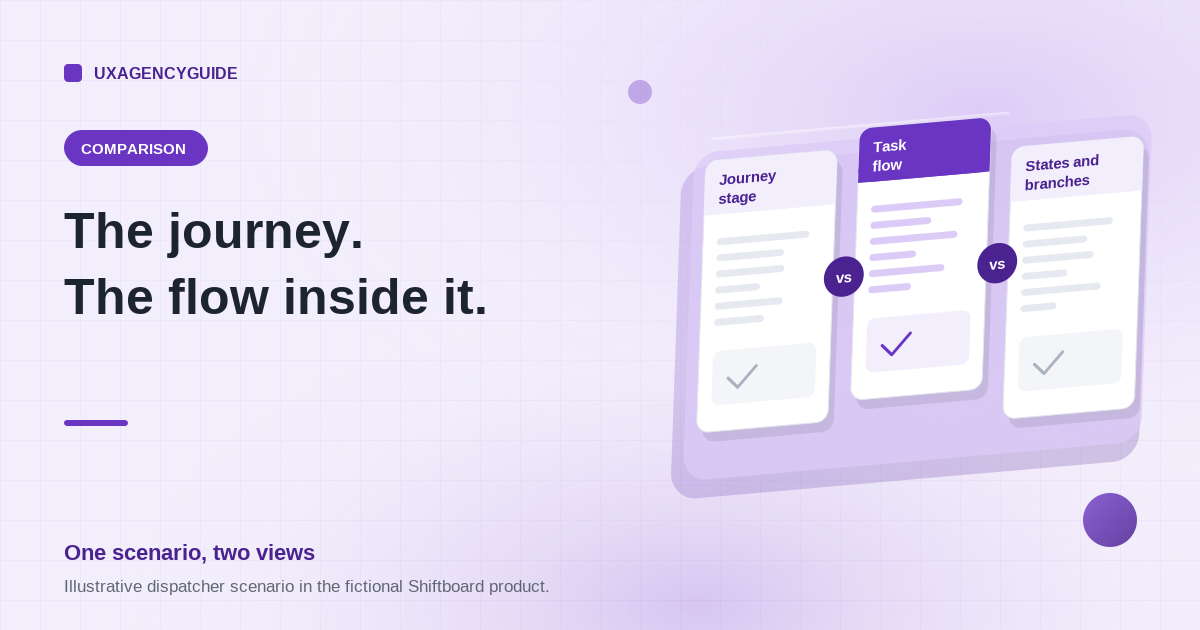
A user journey shows a person’s whole experience of reaching a goal, across time, channels and people. A user flow shows the exact steps and decisions inside one product to complete one task. The journey answers “what is this person going through, and where does our product fit?” The flow answers “what happens, screen by screen, when they use it?” Most product teams need both, at different moments, and the two work best when one is drawn from the other.
This comparison explains the difference in scope and evidence, shows both artifacts for one illustrative scenario, and gives a simple checklist for choosing. The scenario uses Shiftboard, a fictional maintenance-scheduling product that appears throughout our guides. The diagrams are our own editorial examples, not agency deliverables.
The short distinction
Nielsen Norman Group’s article on user journeys versus user flows draws the line clearly. Journeys are high-level and span channels and time. Flows are granular interactions within one product, for goals people complete in minutes or hours at most. Journeys are usually shown as journey maps; flows are shown as flowcharts, wireflows or task diagrams.
A useful way to remember the difference is zoom level. A journey is the view from above: the whole route, including the parts that happen away from your product. A flow is the street-level view of one stretch of that route, showing every turn.
Scope and evidence comparison
| User journey | User flow | |
|---|---|---|
| Question it answers | What does the person experience while reaching a goal? | What steps does a person take in the product to complete a task? |
| Scope | Across channels, people and time | Within one product, one task |
| Typical timespan | Hours, days or weeks | Seconds to minutes |
| Includes | Stages, actions, thoughts, feelings, pain points, opportunities | Screens, actions, decisions, system responses, states |
| Main evidence | Interviews, observation, diary studies, support and sales data | Task analysis, usability testing, analytics, product requirements |
| Typical format | Journey map | Flowchart, wireflow, task diagram |
| Main users of the artifact | Product leaders, researchers, service and marketing teams | Designers, engineers, product managers, testers |
| Most useful when | Deciding what to build or fix, aligning teams | Designing and building a specific feature |
What a journey map contains
Nielsen Norman Group’s Journey Mapping 101 lists the common components: an actor (the person whose journey it is), a scenario and expectations, journey phases, the person’s actions, mindsets and emotions in each phase, and opportunities for improvement. It recommends one actor per map, so a journey map for a dispatcher and one for a technician should be separate, even when they describe the same events.
Agencies describe the same essentials in their own terms. Fuzzy Math’s masterclass on journey mapping defines a journey map as a visual representation of a user’s experience over time, showing touchpoints, emotions and pain points. It suggests analyzing maps for three things, unmet expectations, large friction points and time-intensive effort, and distinguishes positive time (time the person values) from negative time (waiting, repeating, chasing). It also calls the journey map a deliverable to tell a story, which is a fair description of its main job: helping a team see the experience the same way.
What a user flow contains
A user flow shows the entry point, each step, the decisions the person or system makes and every possible outcome. Good flows include more than the successful path. They show error states, empty states, permission limits and alternative routes, because those are where products often break and where engineers need clear direction.
Matched mapping examples
The same scenario, mapped both ways, shows how the artifacts relate.
Scenario (illustrative). At a small facilities company, a job at one site runs two hours late. The dispatcher has to make sure the rest of the afternoon is still covered, and technicians need to know about any changes.
The journey
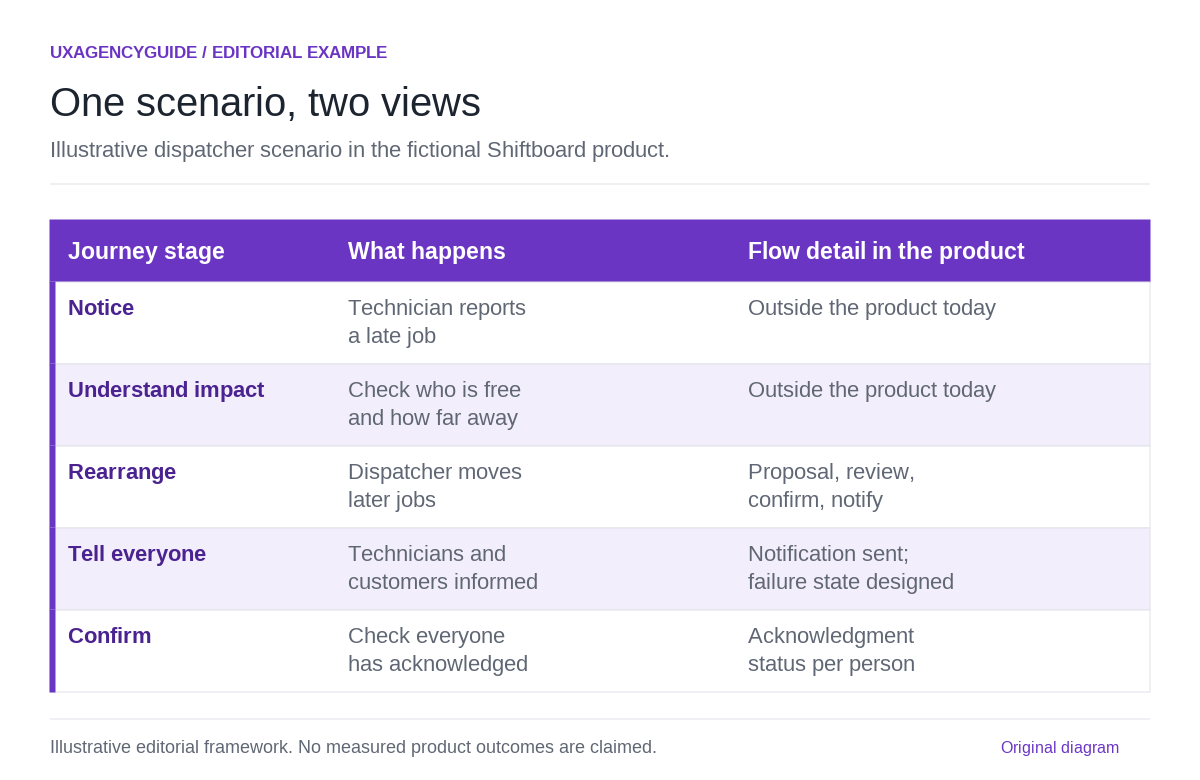
The dispatcher’s journey has five stages:
- Notice the problem. A technician phones or messages to say the job is running late. The dispatcher is often doing something else and may learn about the delay indirectly.
- Understand the impact. The dispatcher works out which later jobs are affected, who is free and how far apart the sites are. Today this means checking a spreadsheet, a calendar and a few messages.
- Rearrange the schedule. The dispatcher decides who moves where. This is where Shiftboard is used.
- Tell everyone. Technicians need the new plan; some customers may need a revised arrival time.
- Confirm and move on. The dispatcher checks that technicians have acknowledged the change and returns to other work, often with lingering worry that someone missed the message.
Research for this journey would show feelings as well as actions: stress at stage one, frustration at stage two, relief or anxiety at stage five. It would also show that two of the five stages, noticing the problem and telling customers, happen mostly outside the product. That is the most useful insight a journey map can provide: where the real pain is, and whether the product is addressing it.
The flow
The user flow zooms into stage three, the part that happens in Shiftboard:
- The dispatcher opens the schedule and sees the late job marked.
- The product proposes moving the next job to another technician, with the reason shown.
- The dispatcher accepts, edits or rejects the proposal.
- If accepted, the product shows the changes and the people who will be notified.
- The dispatcher confirms.
- The product sends notifications and shows each technician’s acknowledgment status.
Branches cover what can go wrong: no technician available, a technician who does not acknowledge, a notification that fails to send, a dispatcher without permission to reassign. Each branch needs a designed response.
What each view reveals
The journey shows that the product only covers one stage well, and that stage one (finding out about the delay) and stage five (confidence that everyone knows) are where much of the stress sits. That might lead the team to add late-job alerts from technicians’ phones and clearer acknowledgment tracking.
The flow shows that the rescheduling task needs careful design around proposals, confirmation and failure, and gives engineers a precise specification. Neither view alone would show both.
When to use each
Use a journey map when
- You are deciding what to build or where to invest, and need to see the whole experience.
- Several teams, such as product, support, sales and operations, each own part of the experience.
- The experience spans channels, for example a website, an app, email and phone calls.
- You need to build shared understanding across a team or with leadership.
- You suspect the biggest problems happen outside your product.
GOV.UK’s guidance on mapping a user’s whole problem makes the point with a memorable example: booking a driving theory test is just one part of learning to drive. It recommends mapping the most important journeys one by one, building a picture of the services and back-end processes involved, and showing what an ideal journey would look like.
Use a user flow when
- You are designing or changing a specific feature.
- Engineers need to know every step, decision and state.
- You are planning a usability test of one task.
- You want to find dead ends, loops or missing error handling in an existing product.
- You need to agree scope for a release.
Use both when
Most significant product work benefits from both: a journey to choose the right problem and a flow to design the solution. In onboarding work, for example, a journey map shows how a new customer moves from purchase to everyday use across people and weeks, and flows detail each setup task. Our SaaS onboarding guide shows that pairing in practice.
How the artifacts connect
Journeys and flows are most useful when they are explicitly linked.
Each flow should belong to a journey stage. When you design a flow, note which journey stage it supports and which pain point it addresses. That keeps feature work tied to real user problems rather than to a feature list.
Journey insights should create flow requirements. If the journey shows that dispatchers worry about whether technicians saw a change, the flow should include acknowledgment tracking and a clear status. The insight becomes a requirement.
Flow findings should update the journey. If usability testing of a flow shows that people abandon the task at a certain step, that is new evidence for the journey map, and may change the team’s view of where the experience breaks.
Both should map the whole system where it matters. In complex industries, the journey often extends far beyond one product. UXDA’s article on banking beyond the mobile app argues that banks should map the complete system customers move through rather than only the screens they use, across stages from discovery and onboarding to problem resolution and eventually offboarding. For each stage, it suggests identifying the channels, teams and systems involved and the moments where context is lost. Those moments are often where flows in different products fail to connect. UXDA’s BKT case lists jobs-to-be-done personas, information architecture and user flows among its deliverables, which shows the two levels being produced together in a real redesign.
Keep both based on evidence. A journey map built from assumptions is a hypothesis, not a finding. Our UX research methods guide covers the interviews and observation that journey maps need. Mark any unverified parts clearly so they can be checked.
A selection checklist
Answer these questions to choose the right artifact.
- Is the goal reached in one product session? If yes, a flow is likely enough. If it spans days, channels or people, start with a journey.
- Are you deciding what to build, or how to build it? Deciding what points to a journey; deciding how points to a flow.
- Who will use the artifact? Leadership and cross-functional teams usually need a journey. Designers and engineers need flows.
- Do you know where the main problems are? If not, map the journey first to find them.
- Do you have research to base it on? If not, plan research before mapping, or label the map as assumptions.
- Will the artifact be maintained? Flows need updating as the product changes. Journeys need revisiting when research or the service changes.
If you are still unsure, sketch a rough journey first. It takes less time than a detailed flow, and it often shows which flows matter most. When the scope extends beyond the product to the whole customer relationship, the distinction between UX and CX becomes relevant too, and journey mapping is where the two meet. Our UX vs. CX comparison covers that wider view.
Frequently asked questions
What is the main difference between a user flow and a user journey?
A user journey describes a person’s wider experience of reaching a goal, often across several channels, people and days, including what they think and feel. A user flow describes the specific steps and decisions within one product to complete one task. The journey shows context; the flow shows interaction.
Which should I create first?
Usually the journey, because it shows where the product fits into the person’s wider experience and which steps matter most. Then create flows for the important tasks the journey reveals. If you are improving a single, well-understood task, you can go straight to the flow.
Is a customer journey the same as a user journey?
The terms overlap. Customer journey often refers to the whole relationship with a company, including marketing, sales, billing and support. User journey usually focuses on a person using a product or service to reach a goal. Both are mapped in similar ways; the scope is the main difference.
Do journey maps need research?
Yes. A journey map built from assumptions shows what the team believes, not what users experience. Base it on interviews, observation, support data or analytics, and mark clearly which parts are still assumptions to be checked.
Sources & evidence
- User journeys vs. user flowsChecked 2026-11-20
- Journey mapping 101Checked 2026-11-20
- Map and understand a user’s whole problemChecked 2026-11-20
- UX masterclass: journey mapping for AI-driven experiencesChecked 2026-11-20
- Bank-as-a-product: mobile banking app redesign is not enoughChecked 2026-11-20
- BKT banking app UX case studyChecked 2026-11-20
Specific sources, useful examples and clear limitations make advice easier to assess.
Read the editorial policy